“Do we need HA?” — that is one of the most common questions in TrueNAS consulting for enterprise models. The answer is rarely a clear yes or no. Dual-controller high availability has a noticeable price tag (often in the high four- to five-figure range), brings complexity, and does not solve all availability problems. At the same time it is irreplaceable in certain scenarios.
This article helps with the decision — pragmatically and without sales pressure.
What TrueNAS HA Does Technically
A TrueNAS HA system consists of two identical controller heads that share access to the same disk shelf or pool disks. One active controller serves clients, the second is on standby and takes over automatically when the active one fails.
Concretely:
- Heartbeat between both controllers over dedicated links
- Shared SAS backend to the disks (dual-path multipathing)
- Synchronised configuration (pool layout, shares, snapshot plans)
- Floating IPs / virtual IPs that move to the second controller on failover
- NVRAM mirror for write-cache consistency
Failover usually takes seconds. For block clients (iSCSI, FC, NVMe-oF) this is typically transparent — sessions are taken over by the second controller, IO pauses briefly. For file clients (SMB, NFS) a session reconnect may be needed depending on client configuration; modern SMB and NFSv4 stacks are tolerant, older ones less so.
When HA Makes Sense
From our consulting practice: HA actually pays off in the following constellations.
1. 24/7 operation with strict SLA. When storage outage directly means production outage — manufacturing lines, hospital applications, online platforms, trading systems — and the SLA is measured in minutes or seconds of recovery time, HA is the right tool.
2. Single storage source for mission-critical workload. When all virtual machines of a production environment live on a single TrueNAS (e.g. iSCSI to a Proxmox or VMware cluster), HA is a substantial stability gain. A controller failure without HA means storage standstill for all VMs simultaneously.
3. Limited maintenance window. Some environments simply lack a maintenance window. If firmware updates on the controller require ongoing operation, HA is practically irreplaceable — one controller is patched and rebooted, the other takes over, then vice versa.
4. Compliance requirements. Some industries (finance, health, critical infrastructure under NIS2 / CER) expect documented high availability. Here HA is often the simplest way to demonstrably tick this box.
When HA Does NOT Make Sense
Equally important — and the more common case in consulting:
1. Backup targets. A TrueNAS hosting Proxmox Backup Server, Veeam, Restic or similar backup tools usually needs no HA. If the backup target is down for a few hours, the backup simply runs at the next slot or time-shifted. Here HA investment is better spent on performance or capacity.
2. Maintenance window is available. If the company already uses maintenance windows in the evening or on weekends anyway, controller updates are not a problem for a single-controller system.
3. Replication to a second NAS is an alternative. Two TrueNAS single-controller systems with ZFS replication (asynchronous, every 15 minutes or more often) offer better resilience against site outage than an HA system at one site. More on this below.
4. Storage is not the critical path. If business criticality hinges on databases, ERP systems or application servers — and not directly on the NAS — HA at the NAS is often the wrong prioritisation.
What HA Does NOT Solve — the Most Important Point
This is where the most common misunderstandings sit:
HA does not solve operator error. If an administrator runs rm -rf / on a dataset, or accidentally exports a pool, or deletes a snapshot with zfs destroy — the second controller does exactly the same thing. HA does not replicate decisions, it just ensures that the active controller is always one.
HA does not solve pool corruption. If a ZFS pool is damaged by a bug, a power spike or combined disk errors, the problem is visible on both controllers simultaneously — they share the same pool.
HA does not solve site outage. Both controllers typically sit in the same rack. Fire, water damage, power outage or theft affects both.
HA does not solve ransomware. If malware writes into the pool, both controllers write equally. HA replaces no backup, no snapshots and no immutable strategy (see Immutable backups against ransomware).
Short formula: HA = hardware failure protection. HA ≠ backup. HA ≠ disaster recovery.
Alternative: Two Single-Controller Systems with Replication
For many SMBs in 2026 this variant is the better choice:
- TrueNAS single-controller system A at the main site
- TrueNAS single-controller system B at a second site (or different fire zone)
- ZFS replication every 15 minutes (or more often depending on bandwidth and data volume)
Advantages over an HA system at the same site:
- Site outage is covered
- Pool corruption on A does not automatically write to B (replication can be paused)
- Ransomware infection can often be contained on A if B has different credentials and no write access from A
- Higher TCO efficiency — two systems instead of one dual-controller often deliver more capacity and resilience for a similar budget
Disadvantages:
- Manual failover in the worst case (DNS switch, mount adjustments, possibly IP change)
- RPO through replication interval (15 minutes = max. 15 minutes data loss)
- More complexity in the operations handbook
Which TrueNAS Models Offer HA?
A quick overview of which series are available with dual-controller option (as of 2026):
- F series (F60, F100): HA standard — typical use case mission-critical all-flash
- V series (V160): HA standard — tri-mode for mixed workloads
- M series (M30-M60): HA optional — capacity-oriented, many HA deployments
- H series (H10, H20, H30): HA optional — compact enterprise
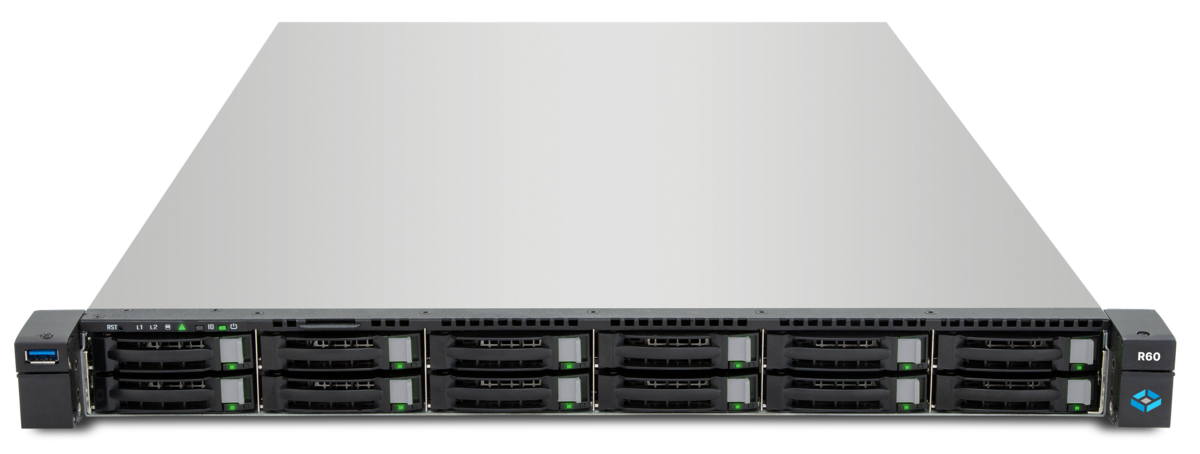
- R series (R20-R60): no HA — cost-optimised, single-controller design
- Mini series: no HA — SOHO/SMB segment
Those wanting to explore configurations interactively will find the TrueNAS configurator at truenas-configurator.com.
Failover Behaviour in Practice
From numerous installations a realistic picture of failover behaviour:
- Planned failover (maintenance, update): in seconds. Block clients often unnoticed, file clients depending on protocol configuration.
- Hardware failover (controller crash): a few seconds to about a minute. Here too iSCSI/NVMe-oF are usually transparent; SMB clients may see a reconnect notice and keep working.
- Failback after repair: manually triggered, usually takes a few minutes (pool must be taken over by the repaired controller, cache synchronisation).
Practical tip: test failover regularly. An HA setup that has not had to fail over for years can surprise in the moment of truth — firmware incompatibilities, drifted configurations, untested network paths. We recommend a planned failover test with documentation at least annually.
Recommendation per Use Case
A brief orientation:
| Use case | Recommendation |
|---|---|
| Production storage for 24/7 VMs, strict SLA | TrueNAS HA (F/V/M series) |
| Backup target (PBS, Veeam) | Single-controller, possibly second for replication |
| File server for 50-200 employees, normal business hours | Single-controller plus daily replication |
| ERP database storage, high availability | TrueNAS HA + additional off-site replication |
| Site outage protection primary | Two single-controllers at two sites |
| Mission-critical multi-site | TrueNAS HA at main site + replication to second site |
Conclusion
TrueNAS HA is a concrete tool for a concrete problem: bridging a hardware controller failure without service interruption. For everything else — backup, disaster recovery, ransomware protection, site outage — there are better, often cheaper tools.
The most common recommendation in the SMB mid-market in 2026: an HA system only where the outage costs in minutes, complemented by replication to a second system for DR. Anyone wanting to upgrade a backup NAS or file server NAS to HA should first check whether the money is better invested in more capacity, faster networking or off-site replication.
DATAZONE advises neutrally and with an eye on the actual workload — we recommend HA only when the use case clearly justifies it, and otherwise propose the cost-optimised alternative.
More on these topics:
More articles
NVMe-TCP vs. Fibre Channel vs. iSCSI: A Practical Decision
Block storage decision for TrueNAS and Proxmox: when NVMe-TCP, when Fibre Channel, when iSCSI. Setup profiles, cabling, latency characteristics.
TrueNAS Made in USA: Honestly Assessing the Data Privacy Debate for EU Customers
TrueNAS is developed in the US -- is that a GDPR problem? An honest look at CLOUD Act, telemetry, source-available code and support contracts for EU customers.
NFS Ganesha vs. Kernel NFSd: What Makes Sense in TrueNAS and When
User-space Ganesha or kernel NFSd on TrueNAS? We break down strengths, limits and the right pick for 10GbE, Proxmox and ESXi environments.