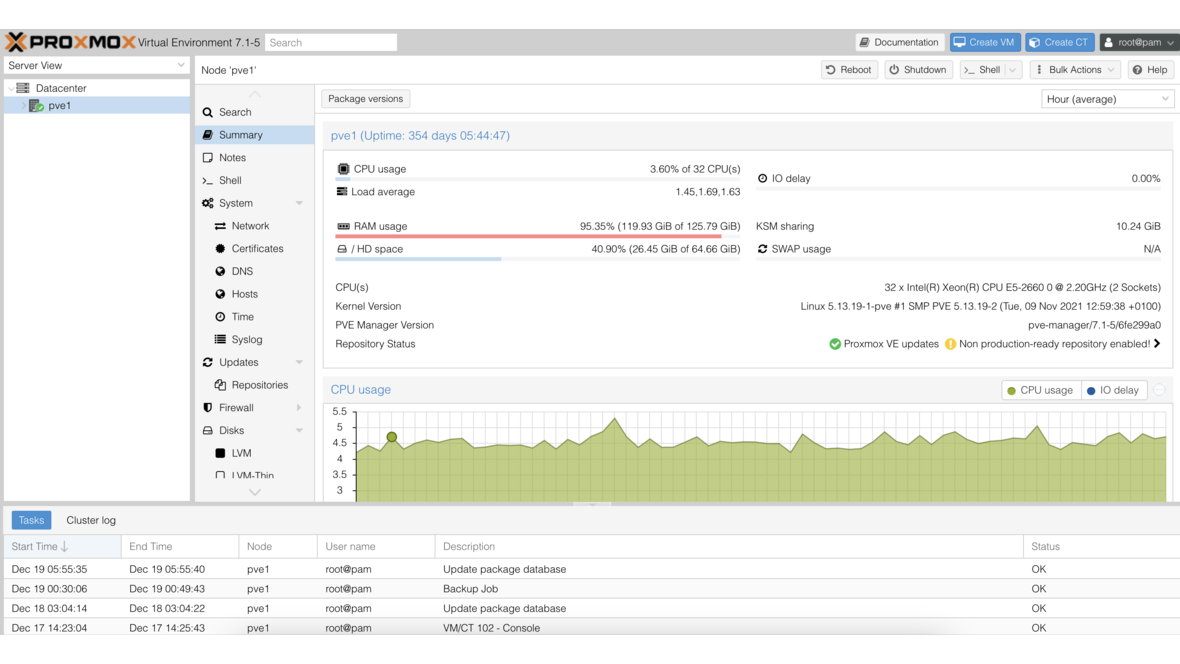
Proxmox has released Proxmox Virtual Environment 6.1, the first point release of the 6.x series. This version brings numerous improvements and bugfixes.
Key New Features
Kernel and QEMU Updates
- Linux Kernel 5.3 with improved hardware support
- QEMU 4.1 with bugfixes and performance improvements
- Updated drivers for current server hardware
Ceph Improvements
The integrated Ceph management has been further expanded:
- Updated Ceph Nautilus 14.2.4
- Improved Ceph dashboard in the web interface
- Optimized OSD creation
- Improved monitoring overviews for Ceph clusters
Cluster Management
- Improved Cluster Join functionality
- Optimized quorum management
- More stable live migration between nodes
- Improved HA manager behavior during network issues
Web Interface
The web interface received various improvements:
- New Bulk Actions support for VMs and containers
- Improved monitoring with more detailed graphs
- Optimized backup planning and management
- Extended network configuration
- Improved permission management
ZFS Improvements
- Updated ZFS 0.8.2 with bugfixes
- Improved data integrity performance
- Optimized memory management
Backup and Restore
- Improved backup speed
- Optimized single-file restore
- Extended backup scheduling options
Upgrade
The upgrade from Proxmox VE 6.0 to 6.1 is conveniently performed via the regular package repositories with apt update && apt dist-upgrade. A reboot is recommended to activate the new kernel.
Conclusion
Proxmox VE 6.1 is a solid point release that further expands the stability and functionality of the 6.x series. The Ceph improvements and the optimized web interface in particular make the update highly recommended. If you have questions about updating your Proxmox environment, we are happy to assist you as a certified partner.
More on these topics:
More articles
ZFS vs. Btrfs vs. ext4: Which Linux Filesystem for Which Job in 2026?
ZFS vs Btrfs vs ext4 — an honest 2026 comparison: features, maturity, snapshots, send/receive, encryption, and where ext4 is still the right choice.
Proxmox for Beginners: Your First VM in 30 Minutes
Proxmox beginner guide: install the ISO, set up the network bridge, create your first VM, use Cloud-Init and plan a backup — no prior knowledge, done in 30 minutes.
The Cloud Is Not a Backup: On-Premises TrueNAS as Your Resilient Extra Layer
After destroyed data centers, even AWS pointed customers to their own backups. Why an on-premises backup layer with TrueNAS (immutable ZFS snapshots, pull replication, air-gap) is a mandatory part of any data strategy.