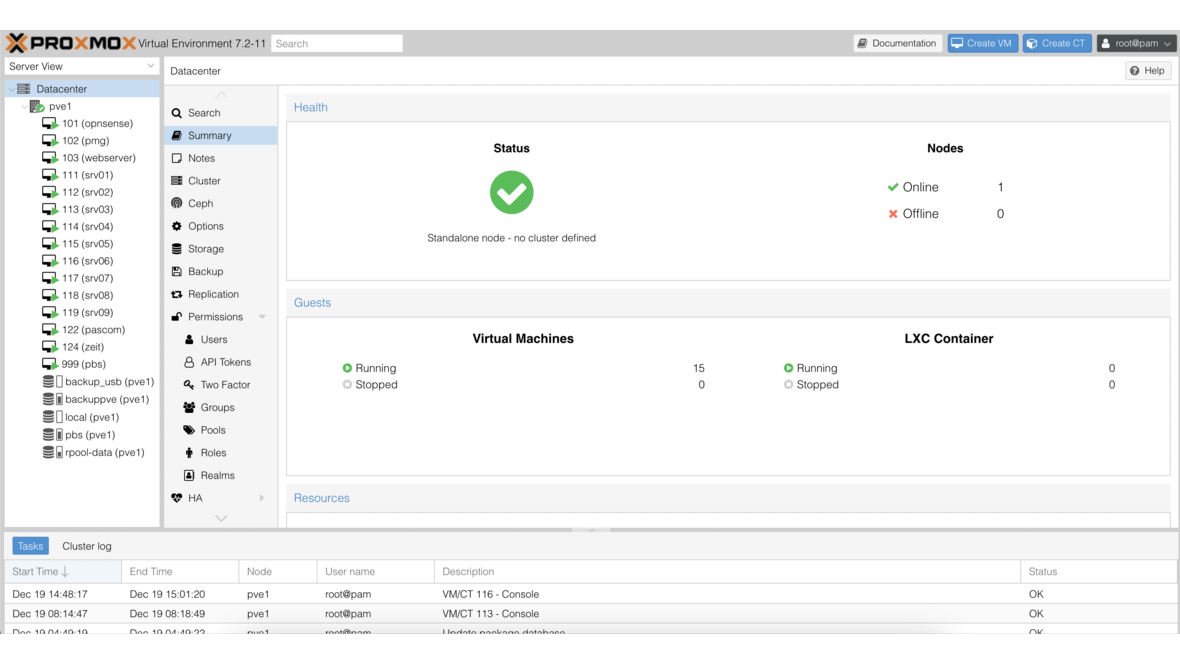
In traditional data centres, compute and storage are separate: servers on one side, SAN or NAS on the other. Hyperconverged infrastructure (HCI) unifies both on the same nodes — and Proxmox VE brings native Ceph integration to make this a reality. No additional licences, no proprietary appliances, and no vendor lock-in.
This article explains how a Proxmox-Ceph architecture is structured, what to consider when sizing your hardware, and which best practices have proven effective in production environments.
1. What Is Ceph?
Ceph is a distributed storage system that automatically replicates data across multiple nodes. It has no single point of failure — if a node or disk fails, Ceph autonomously reorganises data across the remaining resources. This behaviour is known as self-healing.
The foundation is RADOS (Reliable Autonomic Distributed Object Store), an object-based storage layer. Built on top of RADOS, Ceph provides three storage types:
| Protocol | Purpose | Typical Use |
|---|---|---|
| RBD (RADOS Block Device) | Block storage | VM disks in Proxmox VE |
| CephFS | POSIX file system | Shared file storage between VMs |
| RGW (RADOS Gateway) | Object storage (S3/Swift) | Backups, media archiving |
For Proxmox environments, RBD is the central building block: VM disks and container volumes are stored as block devices directly in the Ceph cluster and are available to all cluster nodes simultaneously. This enables live migration without a shared filesystem.
2. Architecture Overview: Proxmox + Ceph
In a hyperconverged configuration, each node serves a dual role — it provides both compute power (hypervisor) and storage (Ceph OSD). Additionally, each node runs Ceph coordination services.
Services per Node
| Service | Function |
|---|---|
| Proxmox VE | Hypervisor (KVM/LXC), management GUI |
| Ceph OSD | Object Storage Daemon — manages local drives |
| Ceph Monitor (MON) | Maintains the cluster map, monitors cluster health |
| Ceph Manager (MGR) | Provides metrics, dashboard, and modules |
Minimum Requirement: 3 Nodes
Ceph requires an odd number of monitors for quorum. Three nodes are the minimum for a functional cluster. With three nodes and a replication factor of 3, the cluster survives the failure of an entire node without data loss.
3. Hardware Sizing
Proper sizing determines the stability and performance of the entire cluster. Ceph is resource-intensive — underestimated OSD requirements lead to performance problems under load.
| Component | Minimum | Recommended |
|---|---|---|
| Nodes | 3 | 5+ |
| CPU | 1 core per OSD + VM cores | 2 cores per OSD + VM cores |
| RAM | 5 GB per OSD + VM RAM | 8 GB per OSD + VM RAM |
| OSD drives | NVMe SSDs | Enterprise NVMe (DWPD >= 1) |
| Network | 10 GbE | 25 GbE |
| WAL/DB | On the OSD drive | Separate NVMe for WAL/DB with HDD OSDs |
| Boot disk | 64 GB SSD | 128 GB SSD (ZFS mirror) |
Note: The RAM and CPU figures for Ceph come in addition to the requirements of your VMs and containers. Plan both together to avoid overprovisioning.
4. Network Design
The network is the most critical component of a Ceph environment. Insufficient bandwidth or missing separation leads to latency that directly impacts VM performance.
Two Separate Networks
| Network | Purpose | Description |
|---|---|---|
| Public Network | Client access | VMs access Ceph storage via this network |
| Cluster Network | OSD replication | Internal data replication between OSDs |
Separation is essential: without a dedicated cluster network, OSD replication competes with VM traffic on the same link. During a node failure, replication traffic increases massively — this can overload an unseparated network.
Recommendations
-
VLAN separation or physically separate interfaces for public and cluster networks
-
Jumbo frames (MTU 9000) on all Ceph interfaces — reduces CPU overhead and increases throughput
-
Bonding / LACP for redundancy and bandwidth aggregation
-
MTU values must be configured identically on all switches and nodes
5. Ceph Pool Configuration
Ceph organises data in pools, each with its own replication and performance parameters.
Replication
| Parameter | Typical Value | Meaning |
|---|---|---|
| size | 3 | Number of copies of each object |
| min_size | 2 | Minimum copies for write operations |
With size=3 and min_size=2, the pool continues to accept writes when one copy is missing (e.g. during an OSD failure). If a second copy fails, the pool becomes read-only — this protects against data loss.
Placement Groups (PGs)
Placement Groups are Ceph’s internal distribution unit. Too few PGs lead to uneven data distribution; too many strain RAM and CPU. Current Proxmox versions support PG autoscaling, which adjusts the count automatically — use this feature.
Erasure Coding vs. Replication
| Method | Storage Efficiency | Performance | Recommendation |
|---|---|---|---|
| Replication (3x) | 33% | High (fast reads/writes) | Default for VM disks |
| Erasure Coding (k+m) | 50–75% | Lower (higher CPU load) | Archive data, backups |
For VM workloads, replication is the recommended choice. Erasure coding is suitable for large data volumes with lower IOPS requirements, such as backup pools.
6. Best Practices for Production
-
Homogeneous hardware: Use identical hardware across all nodes. Different disk sizes or CPU generations lead to uneven load distribution.
-
Do not mix HDDs and SSDs: Create separate pools for different drive types. Mixed pools produce unpredictable latency.
-
Monitor OSD utilisation: Keep occupancy below 85%. Above this threshold, Ceph begins aggressive rebalancing that significantly impacts performance.
-
Regular scrubbing: Ceph verifies data integrity through scrubbing. Schedule deep scrubs during low-load periods (e.g. overnight).
-
Test failover scenarios: Simulate the failure of OSDs and nodes before going to production. Verify that the cluster rebalances correctly and VMs remain accessible.
-
Use the Proxmox dashboard: The built-in web GUI shows Ceph status, OSD utilisation, pool health, and performance metrics — use it for daily monitoring.
-
Keep Ceph versions in sync: Update all nodes to the same Ceph version. Mixed versions are temporarily possible but not a permanent state.
7. When Is Ceph the Right Choice?
Ceph combined with Proxmox is an excellent choice when you:
-
Operate 3 or more nodes and need shared storage without an external SAN
-
Run highly available VMs that should automatically migrate during node failure
-
Want to scale flexibly — additional nodes and OSDs can be added during operation
-
Want to remain independent of proprietary storage vendors
When Is Ceph Not the Best Choice?
-
Single nodes: Ceph requires at least 3 nodes. For single-node setups, local ZFS is the better choice.
-
Very small environments: If 2 nodes with a few VMs suffice, the Ceph overhead is not justified. Use local storage with replication or an external TrueNAS as an iSCSI/NFS backend instead.
-
High sequential throughput requirements: For large files and streaming workloads, a dedicated NAS system may be more performant.
8. DATAZONE: Your Partner for Proxmox and Ceph
We plan, implement, and support Proxmox-Ceph clusters — from initial architecture through network planning to ongoing operations. We bring our experience from numerous production environments to your project.
If a hyperconverged approach does not fit your scenario, we are happy to advise on external storage solutions based on TrueNAS — as an iSCSI, NFS, or SMB backend for your Proxmox environment.
Planning a Proxmox cluster with Ceph or considering hyperconverged infrastructure? Contact us for a no-obligation consultation.
More on these topics:
More articles
Proxmox for Beginners: Your First VM in 30 Minutes
Proxmox beginner guide: install the ISO, set up the network bridge, create your first VM, use Cloud-Init and plan a backup — no prior knowledge, done in 30 minutes.
On-Premises vs. Cloud: Where Local TrueNAS Storage Beats the Cloud
The cloud is not always the best choice. Where on-premises storage with TrueNAS wins on cost, data sovereignty, performance, control and resilience — and when hybrid is the smartest answer.
TrueNAS Proxmox Plugin exits pre-announcement: early-adopter rollout with signed APT repo
iXsystems has moved the TrueNAS storage plugin for Proxmox VE from pre-announcement to a concrete early-adopter rollout — signed APT packages for Bookworm and Trixie, a cluster-aware installer, multi-tenancy against a single TrueNAS, and official early-adopter status. What is new, what it means in practice, and where the limits are.