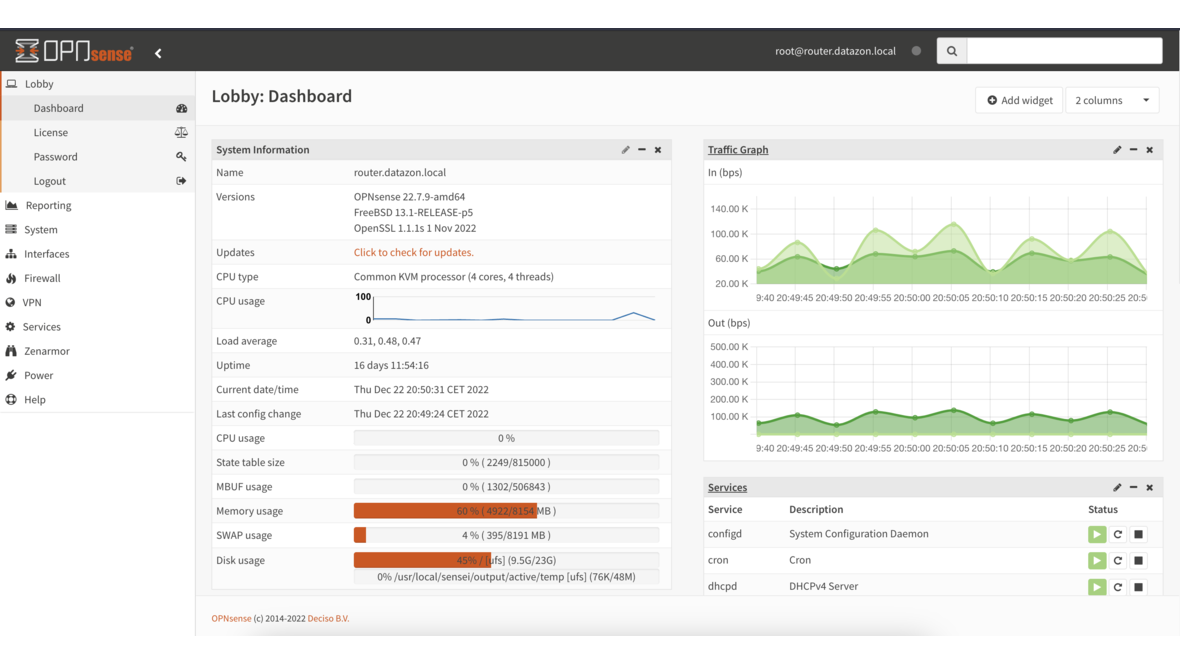
Anyone operating multiple OPNsense firewalls knows the problem: blocklists must be configured individually on each instance. Create alias, enter URL, create floating rule, enable, apply — per firewall and per list. With 5 blocklists and 10 locations, that’s 100 manual configuration steps. With DATAZONE Control and a shell script, this is done in seconds — centrally, consistently, and auditable.
Why IP Blocklists?
IP blocklists contain addresses of known attackers, botnet command-and-control servers, spam networks, and hijacked IP ranges. A firewall that incorporates these lists as aliases automatically blocks traffic to and from these addresses — before an attack can even begin.
The most important public blocklists:
| List | Content | Update Frequency |
|---|---|---|
| Spamhaus DROP | Hijacked network ranges | Daily |
| Firehol Level 2 | Attacks from the last 48 hours | Daily |
| DShield | Top attackers worldwide | Daily |
| blocklist.de | Attacks from Germany | 2× daily |
| Spamhaus DROPv6 | IPv6 variant of the DROP list | Daily |
These lists complement each other: Spamhaus focuses on hijacked network blocks, Firehol aggregates active attackers, DShield and blocklist.de provide daily updated attack IPs. Together, they cover a broad threat spectrum.
Important: Firehol Level 1 is deliberately excluded — this list contains “fullbogons” and private IP ranges (10.0.0.0/8, 172.16.0.0/12) that are legitimately used in internal networks. Firehol Level 2 is the safe choice.
The Problem: Manual Configuration Doesn’t Scale
On a single OPNsense, setup is straightforward:
- Create alias: Firewall → Aliases → URL Table (IPs) → Enter blocklist URL
- Create floating rule: Firewall → Rules → Floating → Block rule with the alias as source (inbound) and destination (outbound)
- Enable and apply
This takes about 5 minutes per list. With 5 lists, that’s 25 minutes — per firewall. With 10 firewalls, it adds up to over 4 hours of pure configuration work. Additionally, every change (adding a new list, updating a URL, disabling a list) must be performed individually on each instance.
The Solution: Automation with DATAZONE Control
DATAZONE Control can execute shell scripts on all managed OPNsense instances simultaneously. The DATAZONE Agent on each firewall has access to the local OPNsense API — with API credentials stored securely in the agent configuration.
How It Works
┌─────────────────────┐
│   DATAZONE Control   │
│   (Central Console)  │
└──────────┬──────────┘
           │ Execute script
     ┌─────┼─────┐
     ▼     ▼     ▼
┌────────┐ ┌────────┐ ┌────────┐
│OPNsense│ │OPNsense│ │OPNsense│
│ Site A │ │ Site B │ │ Site C │
└────────┘ └────────┘ └────────┘
     │           │           │
     ▼           ▼           ▼
  Local       Local       Local
  OPNsense    OPNsense    OPNsense
API API API- The script is distributed to all OPNsense hosts via DATAZONE Control
- On each firewall, the agent reads the local API credentials
- The script checks existing aliases and rules
- Missing aliases are created, existing ones validated
- Floating block rules are created for each list (IN + OUT)
- Finally, validation confirms that lists are loaded
The Script in Detail
The following shell script performs the complete blocklist configuration. It works idempotently — it can be executed any number of times and only creates missing entries:
#!/bin/sh
# DATAZONE Control - OPNsense Blocklist Setup
# Works locally against 127.0.0.1 - no parameters needed.

set -e
PATH="/usr/local/bin:/usr/local/sbin:/usr/bin:/usr/sbin:/bin:/sbin:${PATH}"

# --- Read configuration from agent config ---
AGENT_CONFIG="/usr/local/etc/datazone-agent.json"

# Extract JSON value (no jq needed on FreeBSD)
_json_val() {
    grep -o "\"${1}\"[[:space:]]*:[[:space:]]*\"[^\"]*\"" "$AGENT_CONFIG" \
    | head -1 | sed 's/.*:[[:space:]]*"\(.*\)"/\1/'
}

API_KEY=$(_json_val "opnsense_api_key")
API_SECRET=$(_json_val "opnsense_api_secret")
BASE_URL="https://127.0.0.1"

# --- Blocklist definitions ---
# Format: NAME|DESCRIPTION|URL|REFRESH_DAYS
BLOCKLISTS="
BL_Spamhaus_DROP|Spamhaus DROP|https://www.spamhaus.org/drop/drop.txt|1
BL_Firehol_Level2|Firehol Level2 - Attacks 48h|https://raw.githubusercontent.com/.../firehol_level2.netset|1
BL_DShield|DShield Top Attackers|https://feeds.dshield.org/block.txt|1
BL_Blocklist_de|blocklist.de Attacks|https://lists.blocklist.de/lists/all.txt|0.5
BL_Spamhaus_DROPv6|Spamhaus DROPv6|https://www.spamhaus.org/drop/dropv6.txt|1
"

# --- Create alias (URL Table) ---
create_alias() {
    local name="$1" description="$2" url="$3" refresh="$4"
    curl -s -k -u "${API_KEY}:${API_SECRET}" \
        -X POST -H "Content-Type: application/json" \
        -d "{\"alias\":{\"enabled\":\"1\",\"name\":\"${name}\",
             \"description\":\"${description} [DATAZONE]\",
             \"type\":\"urltable\",\"updatefreq\":\"${refresh}\",
             \"content\":\"${url}\"}}" \
        "${BASE_URL}/api/firewall/alias/addItem"
}

# --- Create floating block rule ---
create_block_rule() {
    local alias="$1" desc="$2" direction="$3"
    local src="any" dst="any"
    [ "$direction" = "in" ]  && src="$alias"
    [ "$direction" = "out" ] && dst="$alias"

    curl -s -k -u "${API_KEY}:${API_SECRET}" \
        -X POST -H "Content-Type: application/json" \
        -d "{\"rule\":{\"enabled\":\"1\",\"action\":\"block\",
             \"quick\":\"1\",\"direction\":\"${direction}\",
             \"ipprotocol\":\"inet\",\"protocol\":\"any\",
             \"source_net\":\"${src}\",\"destination_net\":\"${dst}\",
             \"log\":\"1\",\"description\":\"${desc} (${direction}) [DATAZONE]\"}}" \
        "${BASE_URL}/api/firewall/filter/addRule"
}

# --- Main program ---
# Phase 1: Check/create aliases
echo "$BLOCKLISTS" | while IFS='|' read -r name desc url refresh; do
    [ -z "$name" ] && continue
    check_or_update_alias "$name" "$desc" "$url" "$refresh"
done

# Phase 2: Apply alias configuration
curl -s -k -X POST -u "${API_KEY}:${API_SECRET}" \
    "${BASE_URL}/api/firewall/alias/reconfigure"

# Phase 3: Create floating rules (IN + OUT per list)
echo "$BLOCKLISTS" | while IFS='|' read -r name desc url refresh; do
    [ -z "$name" ] && continue
    create_block_rule "$name" "$desc" "in"
    create_block_rule "$name" "$desc" "out"
done

# Phase 4: Apply firewall rules
curl -s -k -X POST -u "${API_KEY}:${API_SECRET}" \
    "${BASE_URL}/api/firewall/filter/apply"
(Shortened excerpt — the complete script additionally includes validation, update logic for existing aliases, and detailed logging.)
Execution Flow in Detail
Phase 1 — Check aliases: The script checks whether the corresponding alias exists for each blocklist. If it does, the URL is compared and updated if different. Disabled aliases are automatically re-enabled. If the alias is missing, it’s created as a URL table alias.
Phase 2 — Apply aliases: After creating all aliases, a reconfigure is triggered. OPNsense then loads the URL tables and resolves the IPs.
Phase 3 — Floating rules: Two floating rules are created for each blocklist — one for inbound traffic (source = blocklist) and one for outbound traffic (destination = blocklist). Floating rules apply across all interfaces, and with quick they match as the first rule.
Phase 4 — Apply: The firewall rules are activated. The script then validates whether the alias tables actually contain entries.
Why Floating Rules?
Floating rules in OPNsense have a crucial advantage over interface-specific rules: they apply across all interfaces simultaneously. A single floating rule blocks traffic to a blocklist on WAN, LAN, DMZ, and all VLANs — without creating a separate rule for each interface.
The quick option ensures the rule matches immediately without evaluating further rules. This is intentional for blocklists: traffic from known attackers should be dropped without detours.
Result: 5 Lists, All Firewalls, One Run
After execution via DATAZONE Control, each OPNsense instance shows:
- 5 URL table aliases with automatic refresh (daily or 2× daily)
- 10 floating rules (2 per list: IN + OUT)
- Logging enabled on all block rules for auditability
Sample output from one firewall:
=============================================================================
 DATAZONE Control - OPNsense Blocklist Setup
 Date: 2026-03-02 10:15:42
=============================================================================

[OK   ] Connection to OPNsense successful

[INFO ] === Phase 1: Checking blocklist aliases ===
[FIX  ] Alias 'BL_Spamhaus_DROP' created (UUID: a1b2c3d4...)
[OK   ] Alias 'BL_Firehol_Level2' exists and URL is correct
...

[INFO ] === Phase 5: Validation ===
[OK   ] Alias 'BL_Spamhaus_DROP' loaded: 1247 entries
[OK   ] Alias 'BL_Firehol_Level2' loaded: 3891 entries
...

[OK   ] Blocklist setup completed - no errors
Benefits of Central Management
| Aspect | Manual | With DATAZONE Control |
|---|---|---|
| Time (10 firewalls) | ~6 hours | ~2 minutes |
| Consistency | Error-prone | Guaranteed identical |
| Adding a new list | 10× manual | Update script once, deploy |
| Audit trail | Hard to document | Automatic logging |
| Rollback | Manual per instance | Centrally controllable |
Blocklist Best Practices
No Firehol Level 1: This list contains “fullbogons” and RFC 1918 addresses (10.0.0.0/8, 192.168.0.0/16). In enterprise networks, this causes self-blocking. Level 2 contains only verified attack IPs.
Enable logging: All block rules should be configured with logging. This allows tracking how often and which blocklists are triggered — and whether legitimate traffic is falsely blocked.
Match refresh frequency: Attack lists (blocklist.de) change more frequently than netblock lists (Spamhaus DROP). The script configures refresh frequency accordingly — 0.5 days (12 hours) for volatile lists, 1 day for more stable ones.
Block bidirectionally: Block both inbound AND outbound traffic. Inbound protects against external attacks. Outbound prevents compromised internal devices from communicating with C2 servers — this is critical for ransomware detection.
Frequently Asked Questions
Do blocklists slow down the firewall?
No. OPNsense uses pf tables for URL table aliases. These are maintained as hash tables in the kernel — lookup takes O(1) regardless of list size. Even 100,000 entries have no measurable performance impact.
What happens with false positives?
If a legitimate IP appears on a blocklist, it can be excluded via a whitelist alias. In practice, false positives with the selected lists are extremely rare — Spamhaus and abuse.ch have strict inclusion criteria.
Does the script work on older OPNsense versions?
The script uses the OPNsense API, which has been stable since version 18.1. All currently supported versions (22.x, 23.x, 24.x, 25.x) are compatible.
Can I add custom blocklists?
Yes. Simply add another line to the BLOCKLISTS variable in the script — with name, description, URL, and refresh frequency. The alias is automatically created on the next execution.
Running multiple OPNsense firewalls and want to manage blocklists centrally? Contact us — we set up DATAZONE Control and automate your firewall configuration.
More on these topics:
More articles
Firewall for small businesses 2026: the honest comparison
Firewall for small businesses 2026 compared: FritzBox, OPNsense, pfSense Plus, Sophos XGS and Fortinet FortiGate -- what fits for 5 to 50 users?
The Cloud Is Not a Backup: On-Premises TrueNAS as Your Resilient Extra Layer
After destroyed data centers, even AWS pointed customers to their own backups. Why an on-premises backup layer with TrueNAS (immutable ZFS snapshots, pull replication, air-gap) is a mandatory part of any data strategy.
MFA Methods: TOTP vs. FIDO2 vs. Push — Which for SMBs?
MFA comparison for SMBs: TOTP, FIDO2 and push notifications in practice. Phishing resistance, cost, and rollout with Authentik or Keycloak.