Small and medium-sized businesses are the preferred target of cyber attacks. According to industry reports, over 80% of ransomware attacks target SMBs — not because they possess particularly valuable data, but because their IT security often has gaps. The good news: with the right fundamental measures, the risk can be drastically reduced. This guide covers the ten most important measures every SMB should implement.
1. Professional Firewall Instead of a Router
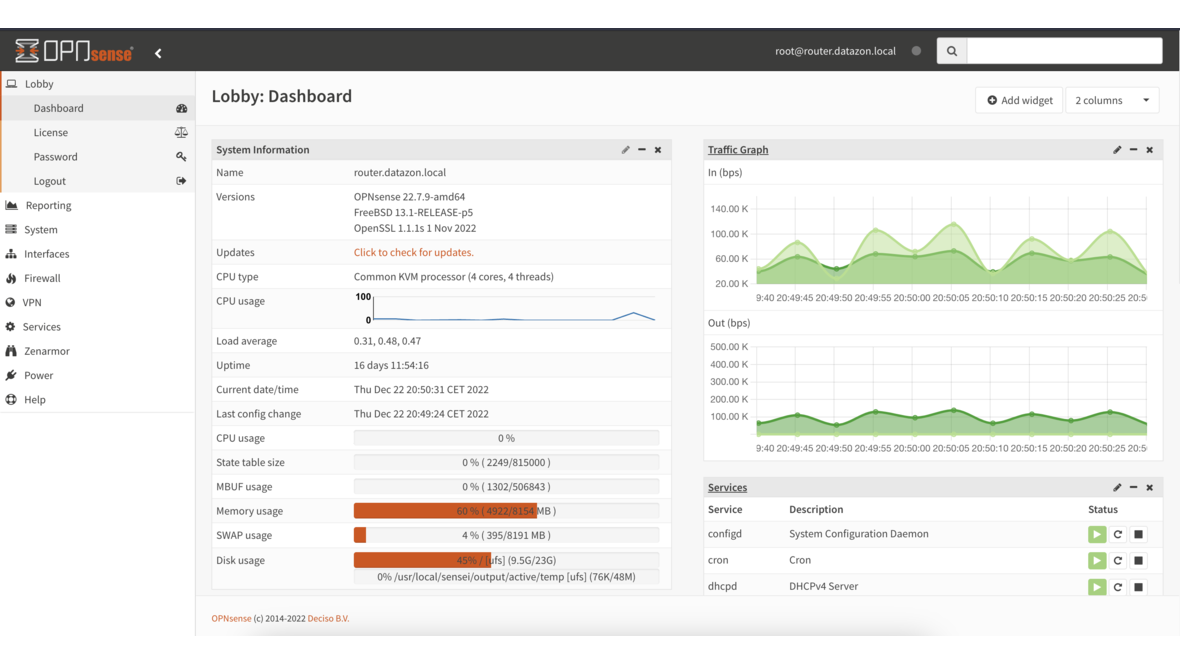
The ISP-provided router at your business entrance is not a firewall. A real firewall like OPNsense provides:
- Stateful Packet Inspection — Analysis of all network traffic
- Intrusion Detection/Prevention (IDS/IPS) — Automatic detection and blocking of attack attempts
- Content filtering — Blocking known malware domains
- VPN — Secure connections for remote work
- Network segmentation — Separation of client, server, and guest networks
OPNsense is open source, free, and provides enterprise-grade functionality. The investment lies solely in hardware — starting at €500 for a system that secures a network with 50+ devices.
2. Regular Updates and Patch Management
Unpatched systems are the number one entry point for attackers. Every known vulnerability that remains unpatched is an open door.
Patching priorities:
- Firewalls and network devices — Immediately upon release (edge devices are the first attack target)
- Operating systems — Windows updates within 7 days
- Business applications — Email server, ERP, CRM within 14 days
- Firmware — Server BIOS, switch firmware, access points quarterly
Automation is crucial here. Windows updates can be centrally managed via WSUS or managed services platforms. Linux servers update automatically with unattended-upgrades.
3. Backup Following the 3-2-1 Rule
A well-designed backup is the last line of defense against data loss. The 3-2-1 rule states:
- 3 copies of your data
- 2 different media types
- 1 copy at an external location
The offsite copy is critical: ransomware deliberately encrypts all accessible network shares. Only a network-isolated copy provides reliable protection. Proxmox Backup Server and TrueNAS with ZFS snapshots offer a cost-effective, professional solution.
Equally important: Regular restore tests. A backup that cannot be restored is worthless.
4. Strong Authentication
Weak or reused passwords remain one of the most common causes of security incidents.
Minimum requirements:
- Password policy: At least 12 characters, enforce complexity
- Multi-factor authentication (MFA): For all external access (VPN, email, cloud services) — ideally also internally for critical systems
- Password manager: A business password manager (e.g., Bitwarden, KeePass) prevents password reuse
- No shared accounts: Every employee has their own credentials
MFA alone reduces the risk of account compromise by over 99%. Setup takes minutes per user and is the single most effective measure.
5. Email Security
Email is the most common attack vector. Over 90% of all cyber attacks begin with a phishing email.
Technical measures:
- Spam and malware filtering — Upstream filtering before the mailbox
- SPF, DKIM, DMARC — Email authentication protocols that prevent spoofing
- Attachment filtering — Blocking dangerous file types (.exe, .scr, .js, .vbs)
- Link scanning — Checking URLs in emails against known phishing sites
Organizational measures:
- Train employees to recognize suspicious emails
- Establish a clear reporting process for suspicious emails
- For payment instructions via email: Always confirm by phone with the sender
6. Network Segmentation
A flat network where all devices can communicate with each other multiplies the damage from a breach. Segmentation with VLANs minimizes the attack surface:
- Server VLAN: Production servers isolated
- Client VLAN: Workstations separated
- Guest VLAN: Internet access only
- IoT VLAN: Cameras, sensors isolated
- Management VLAN: Switches, firewalls accessible only to admins
OPNsense natively supports VLANs and controls traffic between segments with firewall rules.
7. Endpoint Protection
Every workstation and server needs current antivirus protection. Windows Defender is now a solid baseline — but for businesses, we recommend a centrally managed solution:
- Central management — Overview of all devices, status alerts for issues
- Real-time protection — Files checked on access
- Behavioral analysis — Detection of suspicious activity (e.g., mass encryption)
- Automatic updates — Keep signatures and engine current
Important: Endpoint protection is a supplement, not a replacement for the other measures. No antivirus scanner detects 100% of all threats.
8. Encryption
Data must be protected both in transit and at rest:
In transit:
- HTTPS for all web applications (internal and external)
- VPN for remote access (WireGuard or IPsec via OPNsense)
- TLS for email traffic (SMTP/IMAP over TLS)
At rest:
- Disk encryption on laptops (BitLocker, LUKS)
- Encryption of backup data, especially for offsite storage
- Encryption of USB drives
Laptops are particularly at risk: a stolen laptop without disk encryption exposes all stored data — emails, documents, saved passwords.
9. Monitoring and Logging
You can only protect what you can see. Monitoring and logging enable early detection of attacks:
- Firewall logs — OPNsense logs every blocked and permitted connection attempt
- Login monitoring — Monitor failed login attempts, alert on frequency
- System monitoring — CPU, RAM, disk utilization — unusual activity may indicate compromise
- Network monitoring — Detect unusual data flows (e.g., large data transfers to unknown destinations)
A managed service provider can handle monitoring for you and respond immediately to anomalies.
10. Employee Training
The best technology doesn’t protect if employees fall for phishing emails or plug in USB drives of unknown origin. Regular awareness training is indispensable:
- Phishing recognition — How to identify forged emails
- Password hygiene — Why unique, strong passwords matter
- Social engineering — How attackers manipulate via phone or personal contact
- Reporting channels — What to do when suspicious activity is detected
- Physical security — Lock screens, no passwords on sticky notes
Training should occur at least annually. Short, regular sessions (15–30 minutes quarterly) are more effective than a multi-hour annual training.
Checklist: IT Security for SMBs
| Measure | Priority | Status |
|---|---|---|
| Professional firewall (OPNsense) | Critical | ☐ |
| Regular updates for all systems | Critical | ☐ |
| 3-2-1 backup with offsite copy | Critical | ☐ |
| Multi-factor authentication | Critical | ☐ |
| Email filtering (SPF/DKIM/DMARC) | High | ☐ |
| Network segmentation (VLANs) | High | ☐ |
| Endpoint protection on all devices | High | ☐ |
| Disk encryption (laptops) | High | ☐ |
| Monitoring and logging | Medium | ☐ |
| Employee training (annual) | Medium | ☐ |
Frequently Asked Questions
What does IT security cost for an SMB?
The basic setup (OPNsense firewall + backup system + endpoint protection) costs €3,000–8,000 one-time. Ongoing costs for managed security start at €500–1,500/month, depending on company size. The cost of a successful ransomware attack averages €200,000 in comparison.
Which IT security measure is most important?
If only one measure is possible: multi-factor authentication. MFA prevents over 99% of account compromises and requires minimal effort to implement. Backup and firewall follow immediately after.
Is Windows Defender sufficient as antivirus?
For individual devices, Windows Defender provides solid baseline protection. For businesses, we recommend a centrally managed solution with reporting and alerting. Defender alone doesn’t offer central management across all endpoints.
How often should employees be trained?
At least annually, preferably quarterly in short sessions. Additionally, event-driven training is recommended (e.g., after a security incident or when new attack patterns emerge).
Want to improve IT security in your business? Contact us — we analyze your current situation and implement the right security measures for your organization.
More on these topics:
More articles
Firewall for small businesses 2026: the honest comparison
Firewall for small businesses 2026 compared: FritzBox, OPNsense, pfSense Plus, Sophos XGS and Fortinet FortiGate -- what fits for 5 to 50 users?
The Cloud Is Not a Backup: On-Premises TrueNAS as Your Resilient Extra Layer
After destroyed data centers, even AWS pointed customers to their own backups. Why an on-premises backup layer with TrueNAS (immutable ZFS snapshots, pull replication, air-gap) is a mandatory part of any data strategy.
MFA Methods: TOTP vs. FIDO2 vs. Push — Which for SMBs?
MFA comparison for SMBs: TOTP, FIDO2 and push notifications in practice. Phishing resistance, cost, and rollout with Authentik or Keycloak.