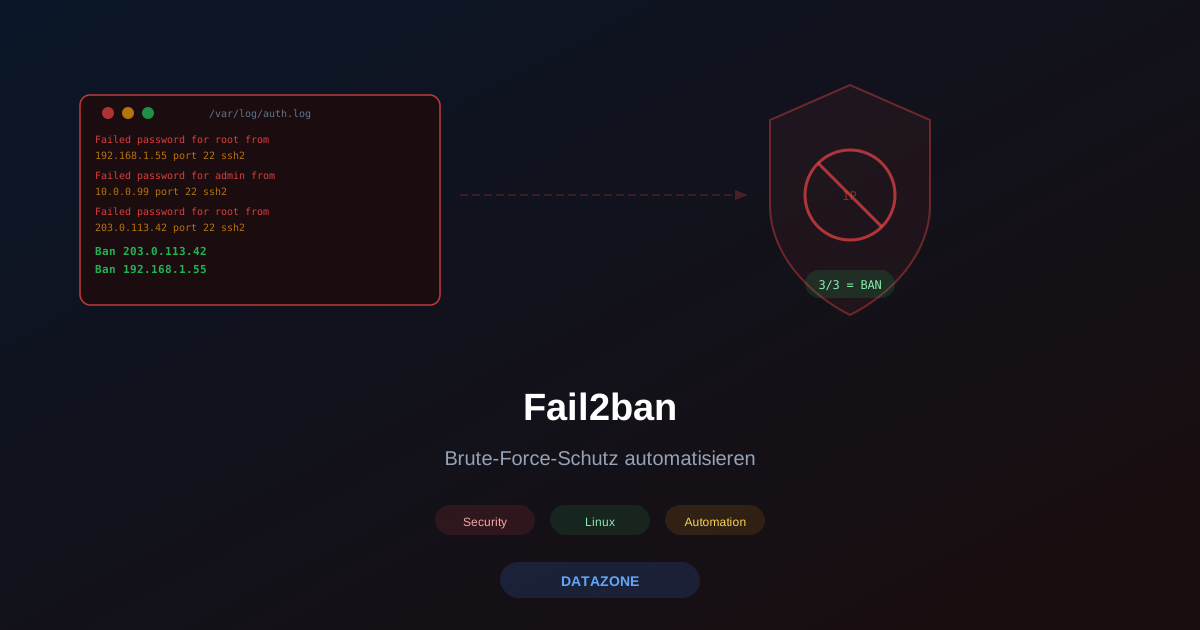
Anyone running a Linux server knows the logs: hundreds or thousands of failed SSH login attempts every day, brute-force attacks against web forms, dictionary attacks on mail accounts. Automated bots continuously sweep the entire IPv4 address space looking for open services and weak credentials. Fail2ban is the proven answer — a daemon that monitors log files and automatically blocks attacker IPs before they can cause damage.
How Fail2ban Works
Fail2ban operates on a simple but effective principle: log parsing followed by automatic firewall bans. The process in three steps:
-
Log monitoring: Fail2ban continuously tails log files — by default using inotify, making detection near-real-time. Each service has its own filter that uses regular expressions to identify failed authentication attempts.
-
Pattern detection: As soon as an IP address reaches more than the allowed number of attempts (
maxretry) within the configured time window (findtime), it is flagged as an attacker. -
Automatic ban: Fail2ban inserts a rule into iptables, nftables, or another configured action backend that blocks further traffic from that IP — for the duration of
bantime.
The ruleset is modular: each combination of filter and action is called a jail. A default installation already includes ready-made jails for dozens of services.
Installation on Debian, Ubuntu, and RHEL
Fail2ban is available in the official package repositories of all major distributions:
# Debian / Ubuntu
apt update && apt install fail2ban

# RHEL / AlmaLinux / Rocky Linux (EPEL required)
dnf install epel-release
dnf install fail2ban

# Start and permanently enable the service
systemctl enable --now fail2ban
The default configuration lives in /etc/fail2ban/jail.conf. Never edit this file directly — it gets overwritten during package updates. Instead, create a local override file:
cp /etc/fail2ban/jail.conf /etc/fail2ban/jail.localAll custom settings should go exclusively into jail.local or separate files under /etc/fail2ban/jail.d/.
Configuring jail.local: the Key Parameters
The [DEFAULT] section in jail.local sets global values that apply to all jails — unless overridden per jail:
# /etc/fail2ban/jail.local

[DEFAULT]
# Time window in seconds within which maxretry attempts are counted
findtime = 600

# Maximum failed attempts before an IP gets banned
maxretry = 5

# Ban duration in seconds (3600 = 1 hour)
# Negative value = permanent ban
bantime = 3600

# Progressive ban time increase for repeat offenders
bantime.increment = true
bantime.multiplier = 2
bantime.maxtime = 604800

# IPs that are never banned (own IPs, VPN exits, monitoring servers)
ignoreip = 127.0.0.1/8 ::1 192.168.0.0/24 203.0.113.10

# Default action: ban without email
action = %(action_)s
SSH Jail (sshd)
The most important jail protects the SSH service. On systems with systemd-journald as the log backend:
[sshd]
enabled = true
port    = ssh
logpath = %(sshd_log)s
backend = %(sshd_backend)s
maxretry = 3
bantime  = 86400
Protecting Additional Services
Nginx and Apache
Fail2ban can monitor web server logs to block brute-force attacks against login pages or suppress excessive HTTP error noise:
[nginx-http-auth]
enabled  = true
port     = http,https
logpath  = /var/log/nginx/error.log

[nginx-limit-req]
enabled  = true
port     = http,https
logpath  = /var/log/nginx/error.log
maxretry = 10

[apache-auth]
enabled  = true
port     = http,https
logpath  = /var/log/apache2/error.log
maxretry = 3
Postfix and Dovecot
Mail servers are a popular attack target. The built-in jails detect failed SMTP auth and IMAP login attempts:
[postfix]
enabled = true
port    = smtp,465,submission
logpath = /var/log/mail.log

[dovecot]
enabled = true
port    = pop3,pop3s,imap,imaps,submission,465,sieve
logpath = /var/log/mail.log
maxretry = 5
OPNsense Web GUI
Administrators running OPNsense as their firewall can protect its management interface as well. OPNsense provides Fail2ban as a plugin (os-fail2ban) that can be installed directly from the package manager and detects failed login attempts against the web UI.
Custom Filters for Application Logs
For applications without a pre-built Fail2ban filter, custom definitions are straightforward to create. Example for a WordPress installation logging errors to /var/log/nginx/wordpress-access.log:
# /etc/fail2ban/filter.d/wordpress.conf
[Definition]
failregex = ^<HOST> .* "POST /wp-login\.php HTTP.*" 200
ignoreregex =
# In jail.local
[wordpress]
enabled = true
port = http,https
filter = wordpress
logpath = /var/log/nginx/wordpress-access.log
maxretry = 5
findtime = 300
bantime = 7200The regular expression uses <HOST> as a placeholder — Fail2ban automatically replaces it with the appropriate IPv4/IPv6 detection pattern.
Whitelist and ignoreip
Your own IP addresses, monitoring servers, and VPN exit nodes must be added to ignoreip to prevent accidental self-bans:
[DEFAULT]
ignoreip = 127.0.0.1/8 ::1
           192.168.1.0/24
           10.0.0.0/8
           203.0.113.42
Fail2ban supports individual IPs, CIDR blocks, and IPv6 addresses. Important: ignoreip only applies to new bans — already-banned IPs must be unblocked manually.
Email Alerts on Bans
For production environments, notifications on every new ban are strongly recommended. Fail2ban includes built-in email actions:
# In /etc/fail2ban/jail.local

[DEFAULT]
destemail = admin@example.com
sender    = fail2ban@server.example.com
mta       = sendmail

# Action: ban + email with whois information
action = %(action_mwl)s
The action_mwl action sends an email on every ban containing IP information, whois data, and the relevant log lines. For quieter notifications, action_mw omits the log excerpt.
fail2ban-client: Essential Commands
The command-line client allows live management of running jails:
# Show global status of all jails
fail2ban-client status

# Show details for a specific jail (banned IPs, statistics)
fail2ban-client status sshd

# Manually ban an IP
fail2ban-client set sshd banip 198.51.100.55

# Unban a blocked IP
fail2ban-client set sshd unbanip 198.51.100.55

# Reload Fail2ban after configuration changes
fail2ban-client reload

# Check all current bans (via iptables)
iptables -n -L f2b-sshd
Comparison: Fail2ban vs. CrowdSec vs. sshguard vs. CSF
| Feature | Fail2ban | CrowdSec | sshguard | CSF |
|---|---|---|---|---|
| Approach | Log parsing, local rules | Log parsing + community blocklists | Log parsing, minimal | Log parsing + firewall wrapper |
| Distribution support | All major distros | All major distros | All major distros | CentOS/cPanel-focused |
| Configuration complexity | Medium (jail.local) | Easy (YAML) | Very easy | Easy (csf.conf) |
| Community threat intelligence | No | Yes (opt-in) | No | No |
| Multi-service support | Excellent | Good | Limited (SSH focus) | Good |
| IPv6 support | Yes | Yes | Yes | Yes |
| Resource usage | Low | Medium | Minimal | Low |
| Active development | Moderate | Active | Active | Active |
Fail2ban is the most versatile solution with the widest selection of ready-made filters. CrowdSec supplements local decisions with community-sourced threat intelligence. For pure SSH protection without configuration overhead, sshguard is the lightweight alternative.
Fail2ban and DATAZONE Control: Fleet-Wide Ban Monitoring
On a single server, keeping an eye on fail2ban-client status is sufficient. With a larger Linux fleet, you need a centralised view: which servers are currently under attack? Which IPs are appearing across multiple systems? Are there services where the ban rate is suddenly spiking?
DATAZONE Control extends Fail2ban to fleet level:
- Central alert dashboard: ban events from all managed servers consolidated in a single view
- Anomaly detection: unusual spikes in brute-force activity are detected and reported — before a server becomes overwhelmed
- Configuration drift monitoring: changes to
jail.localor Fail2ban filters are tracked and can trigger alerts on unexpected deviations - Cross-server correlation: an IP banned across five different servers is a clear signal of a coordinated attack
The combination of local Fail2ban hardening and centralised monitoring with DATAZONE Control closes the gap between reactive blocking and proactive threat detection.
Best Practices at a Glance
- Edit
jail.local, notjail.conf— updates never overwrite your custom settings - Enable
bantime.increment— repeat offenders receive progressively longer bans - Maintain
ignoreipcarefully — always include monitoring IPs and your own networks - Check the log backend — systemd-journald requires
backend = systemd, traditional log files usebackend = auto - Test filters before going live:
fail2ban-regex /var/log/auth.log /etc/fail2ban/filter.d/sshd.conf - Set up email alerts for production systems — silent bans can mask the fact that a system is being actively targeted
- Verify firewall persistence — after a reboot, Fail2ban rules are re-applied automatically when the service is set to autostart
- Regular log review: Fail2ban does not replace manual analysis — unusual patterns may point to a broader compromise
Looking to protect your Linux servers systematically against brute-force attacks? Contact us — we configure Fail2ban, set up fleet-wide monitoring with DATAZONE Control, and ensure your infrastructure stays protected long-term.
More on these topics:
More articles
Firewall for small businesses 2026: the honest comparison
Firewall for small businesses 2026 compared: FritzBox, OPNsense, pfSense Plus, Sophos XGS and Fortinet FortiGate -- what fits for 5 to 50 users?
The Cloud Is Not a Backup: On-Premises TrueNAS as Your Resilient Extra Layer
After destroyed data centers, even AWS pointed customers to their own backups. Why an on-premises backup layer with TrueNAS (immutable ZFS snapshots, pull replication, air-gap) is a mandatory part of any data strategy.
MFA Methods: TOTP vs. FIDO2 vs. Push — Which for SMBs?
MFA comparison for SMBs: TOTP, FIDO2 and push notifications in practice. Phishing resistance, cost, and rollout with Authentik or Keycloak.